
Column auto sizing
Automatically adjust column widths in column view to fit the longest filename visible in each column.
- Tested on macOS:
- Tahoe
- Parameter type: bool
Set to true
Columns automatically resize to fit content
bash
defaults write com.apple.finder "_FXEnableColumnAutoSizing" -bool "true" && killall Finder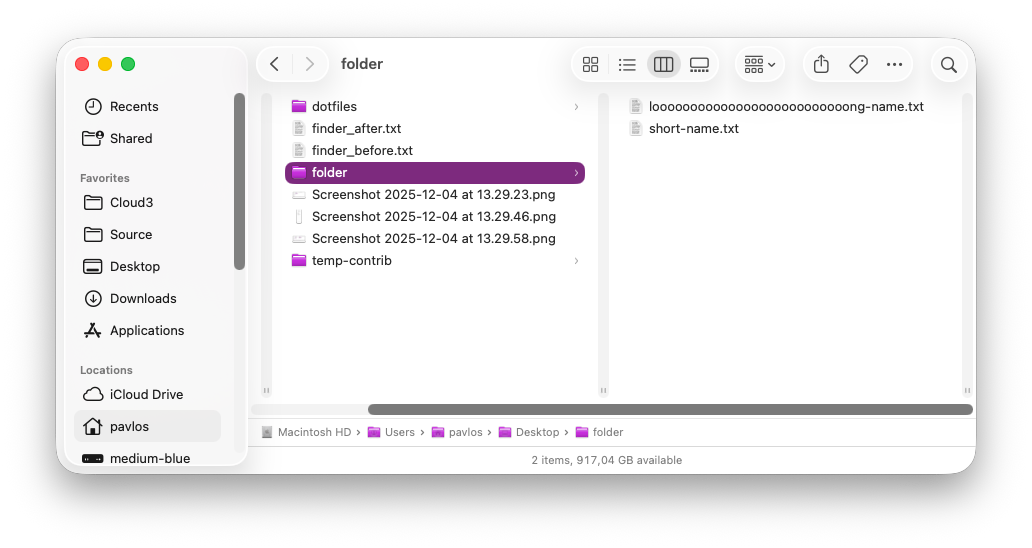
Set to false (default value)
Columns use fixed width
bash
defaults write com.apple.finder "_FXEnableColumnAutoSizing" -bool "false" && killall Finder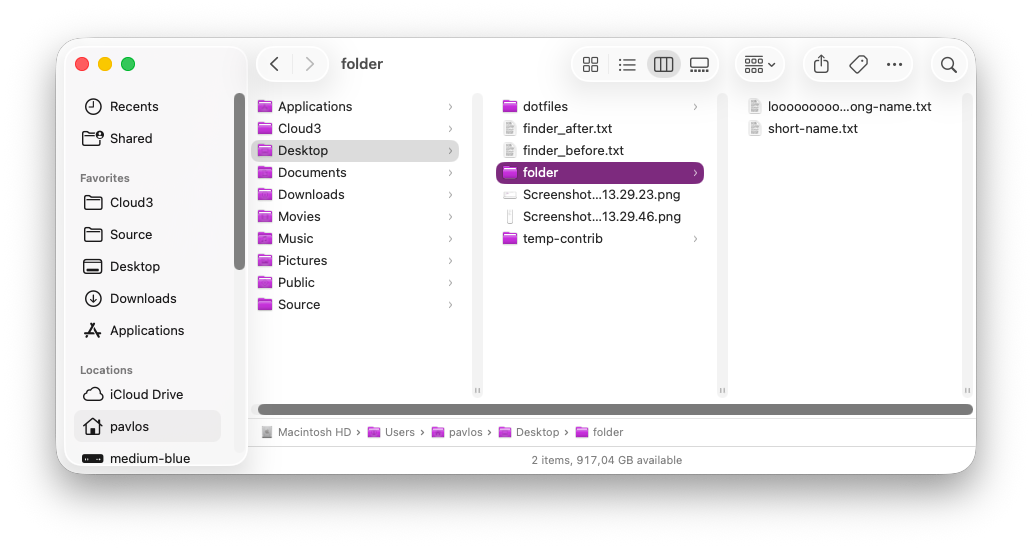
Read current value
bash
defaults read com.apple.finder "_FXEnableColumnAutoSizing"Reset to default value
bash
defaults delete com.apple.finder "_FXEnableColumnAutoSizing" && killall FinderSet value from UI
- Open a Finder window
- Switch to column view (Cmd + 3)
- Press Cmd + J to open View Options
- Toggle "Resize columns to fit filenames"